Your map, on your wrist.
While the watch app is open, the phone downloads the map around you and passes it over, nearest pieces first. As you walk, the map ahead fills in before you get there.
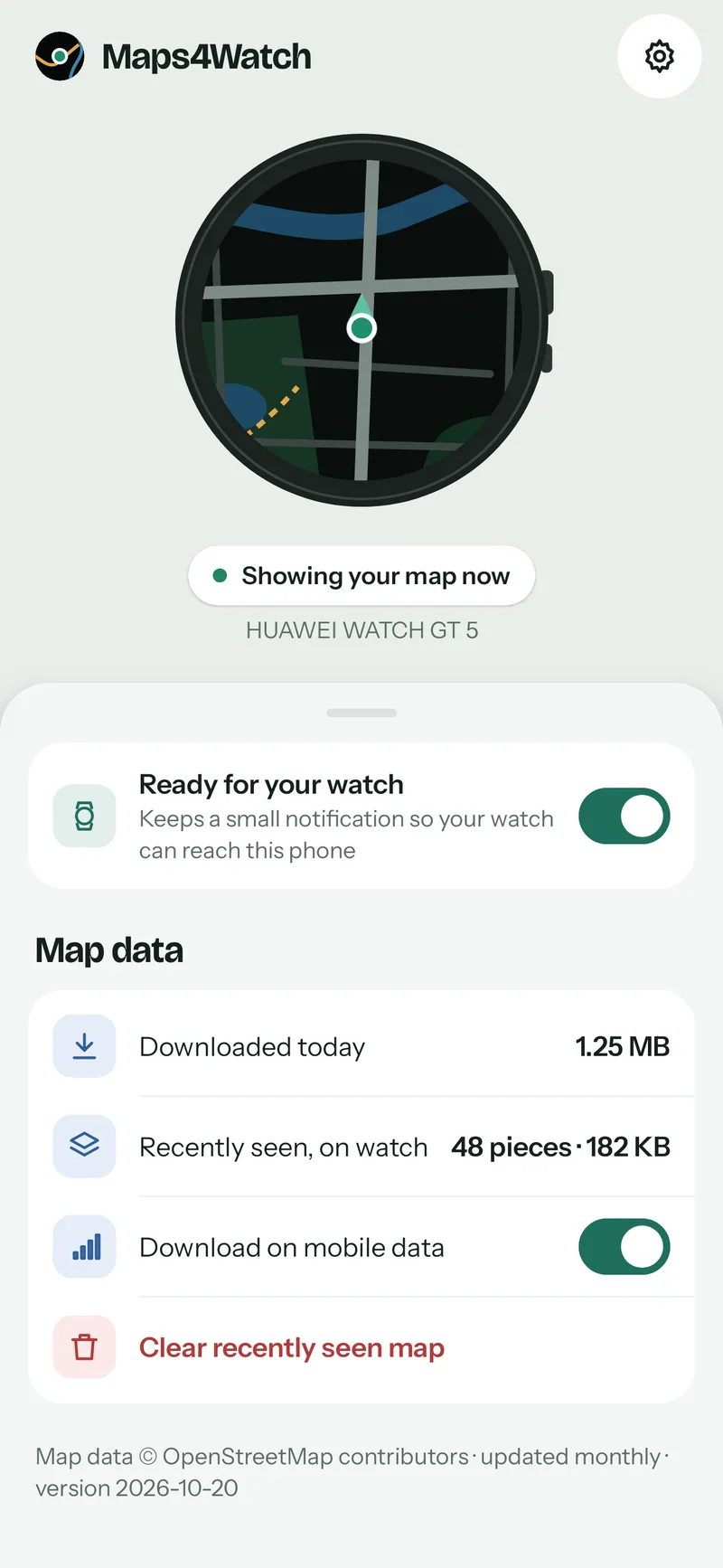
A live map for Huawei watches
Open Maps4Watch on your watch and you are on the map. No region to download first, no workout to start, no account.
Coming soonto Google Play for your phone and Huawei AppGallery for your watch
Free. Android 10 or newer with Huawei Health.
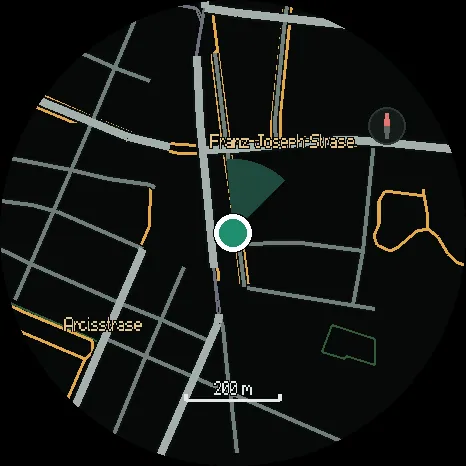
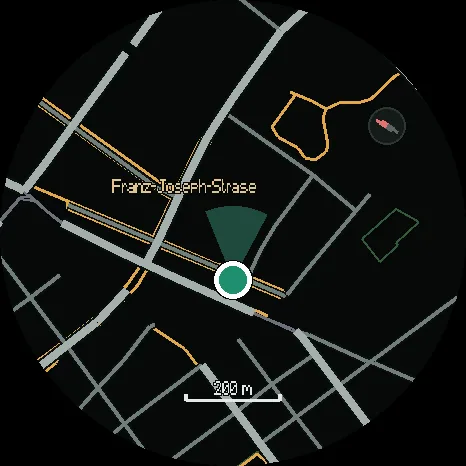
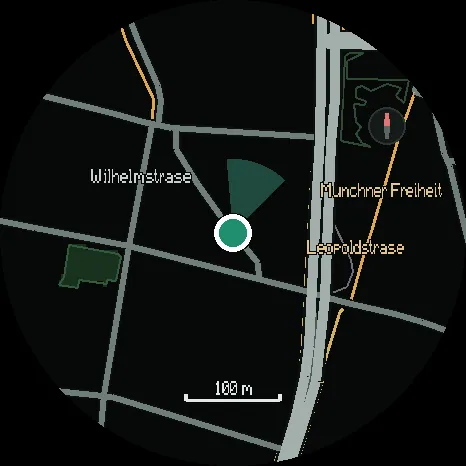
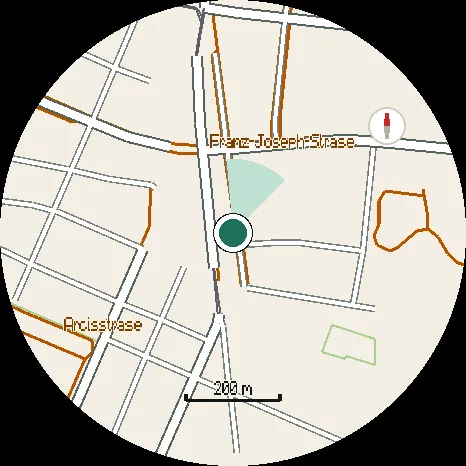
North-up, with your heading and a scale.
The map
Paths, parks, water and street names, drawn for your watch's screen. Every line is thick enough to read at arm's length.
for + and −. Five zoom levels, remembered between uses.
to look around. The map comes back to you after ten seconds.
to turn the map the way you face, and again for north-up.
On your wrist, from your phone
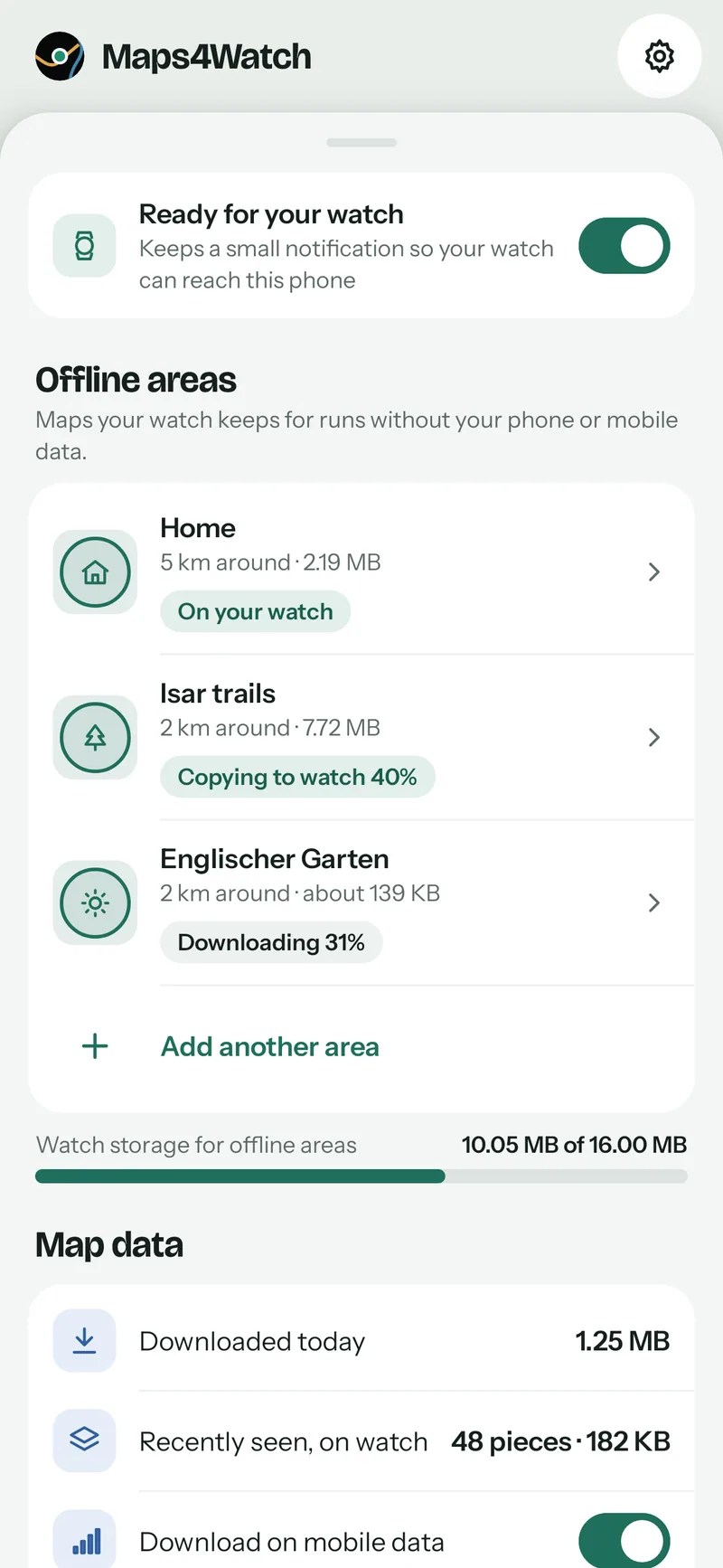
While the watch app is open, the phone downloads the map around you and passes it over, nearest pieces first. As you walk, the map ahead fills in before you get there.
Save your home area, or anywhere you are going, to the watch. The map is complete there with no phone and no signal. Places you have already been stay on the watch too.
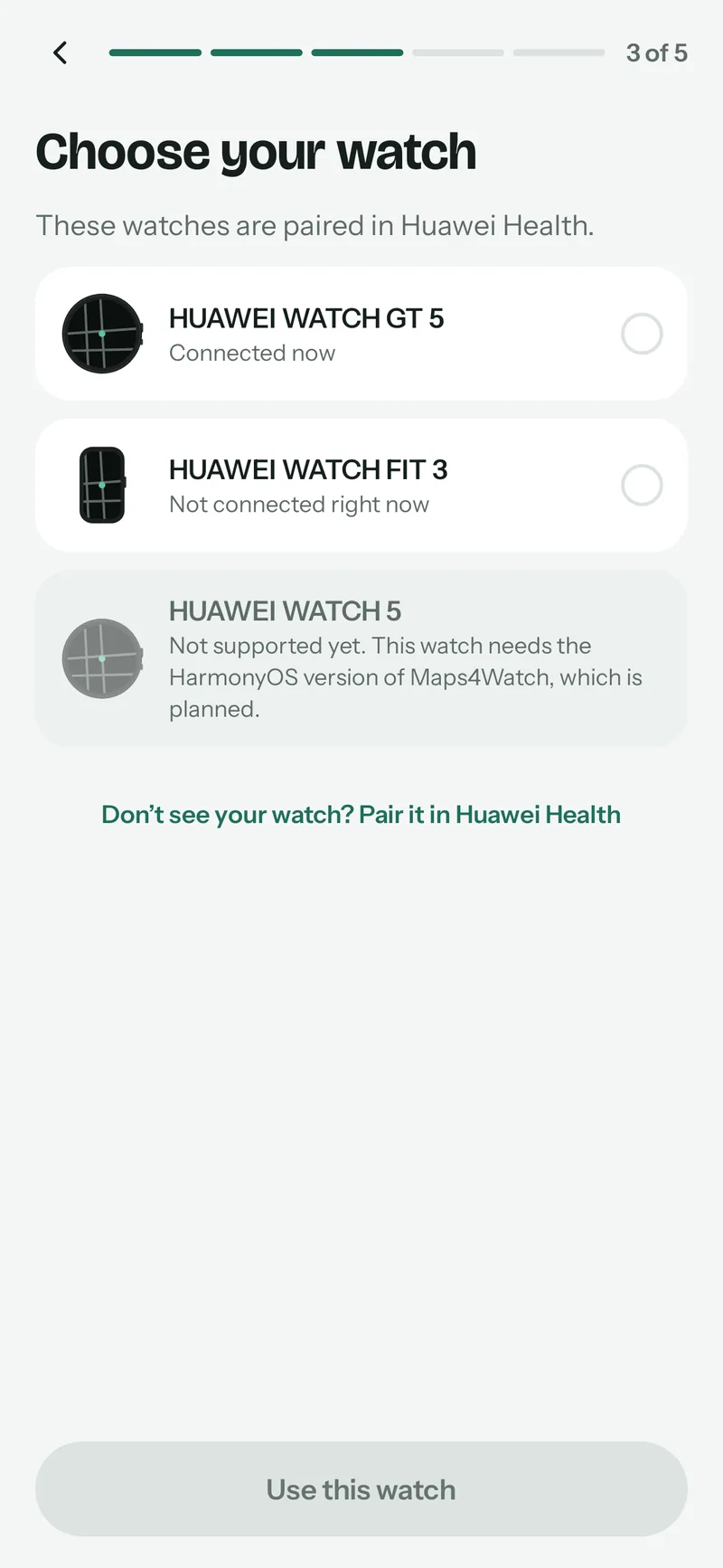
The phone checks Huawei Health, HMS Core and the battery settings, with a Fix button for each problem. Pick your watch, install the watch app, and the phone confirms the connection.
Privacy
There is no Maps4Watch server to send it to. The only thing on the network is map data for where you are.
Watches and phones
Each piece of map is built on the phone to the size and memory of your model, measured on the real hardware.
An Android 10 or newer phone with Huawei Health. Phones from other makers also need HMS Core. The watch app is free on Huawei AppGallery.
iPhone: Huawei watches paired with an iPhone cannot install third-party apps. WATCH 5, WATCH 4, WATCH Ultimate: this watch needs the HarmonyOS version of Maps4Watch, which is planned.
Questions
For new places, yes: the phone downloads the map and passes it to the watch. Places you have already been stay on the watch, and an area you have saved is complete with no phone and no signal. The watch always says where its map comes from.
Maps4Watch is free. Everyone who installs during the free period keeps everything when paid features arrive.
On Huawei AppGallery, free. The phone app takes you there during setup.
No. Huawei watches paired with an iPhone cannot install third-party apps, so there is nothing we can build for it.
The small "Ready for your watch" notification keeps the phone ready whenever you open the map on your watch. You can switch it off on the home screen.
Only while the map is open. When you close it, GPS, the screen and every timer stop, so the rest of the time your battery life is untouched.
OpenStreetMap, updated monthly. Map data © OpenStreetMap contributors.
Blog
Which Huawei watches Maps4Watch supports, which it does not yet, and why each model is measured on the real watch before it is listed.
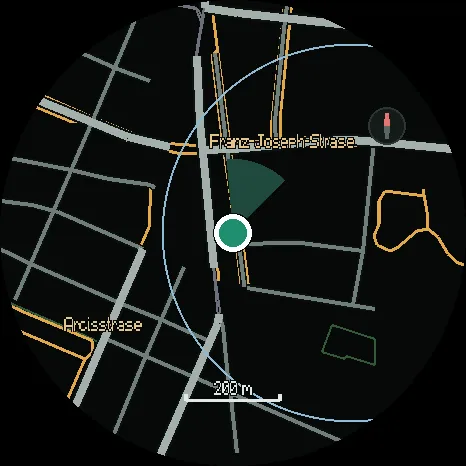
Save your home area, or anywhere you are going, to your Huawei watch. The map is then complete there with no phone and no signal.
How the map reaches your Huawei watch: the watch asks for the pieces it needs, nearest first, and the phone builds each one for your watch model.
Maps4Watch is almost ready. It will be free for every supported watch.
Coming soonto Google Play for your phone and Huawei AppGallery for your watch